This page explains how to use Undo to cancel an edit, and Redo to restore an action that was undone.
Undo
1. Open the menu
Tap the menu button (…) in the top-right corner of the sheet screen.
2. Select “Undo”
Tap Undo to cancel the most recent edit.
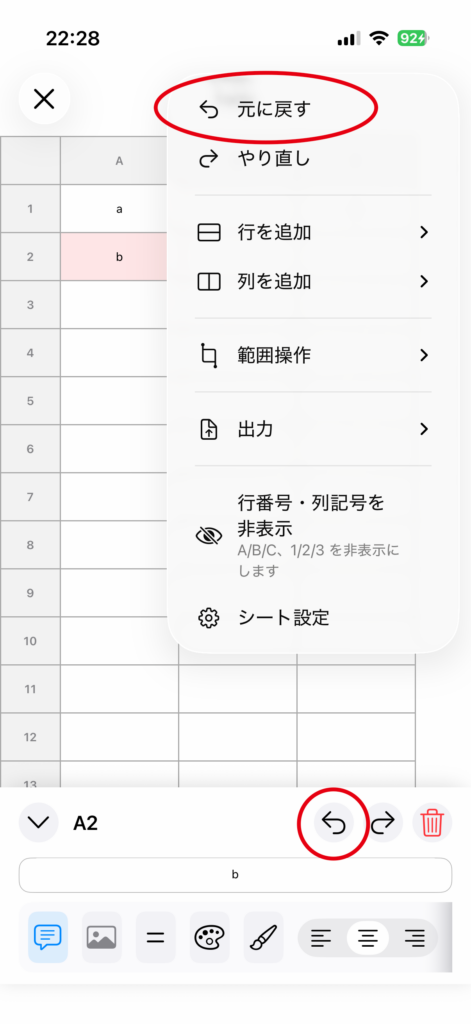
3. Repeat to go back further
Run Undo again to return to an even earlier state.
Redo
1. Open the menu after using Undo
Open the top-right menu (…).
2. Select “Redo”
Tap Redo to restore the most recent action that was canceled with Undo.
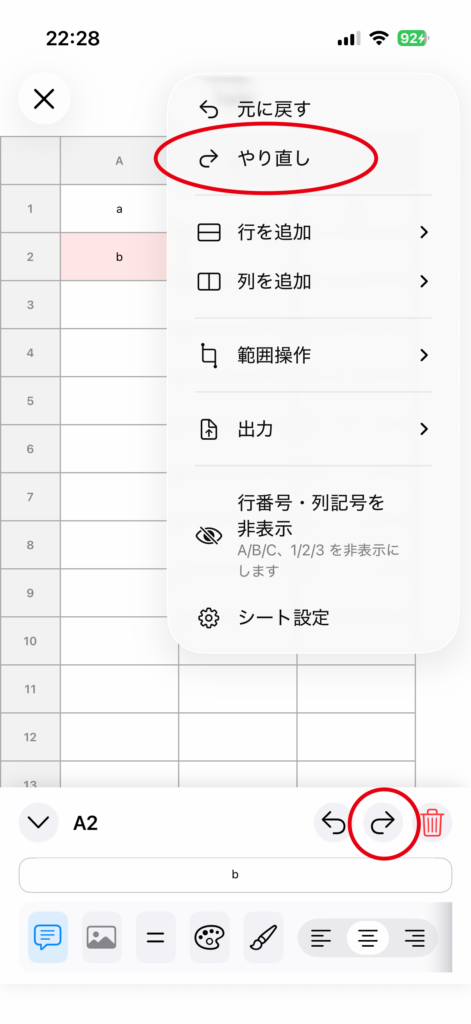
How to Use It from the Cell Editing Panel
There are also Undo / Redo buttons in the cell editing panel.
You can use the history controls even while editing text.
Notes
• If you make a new edit, the redo history will be cleared.
• Undo and Redo work for changes such as cell edits, row and column operations, and range operations.