This page explains how to change the grid color and grid line thickness for the entire sheet.
Open the Settings Screen
1. Open the top-right menu
Tap the menu (…) in the top-right corner of the sheet screen.

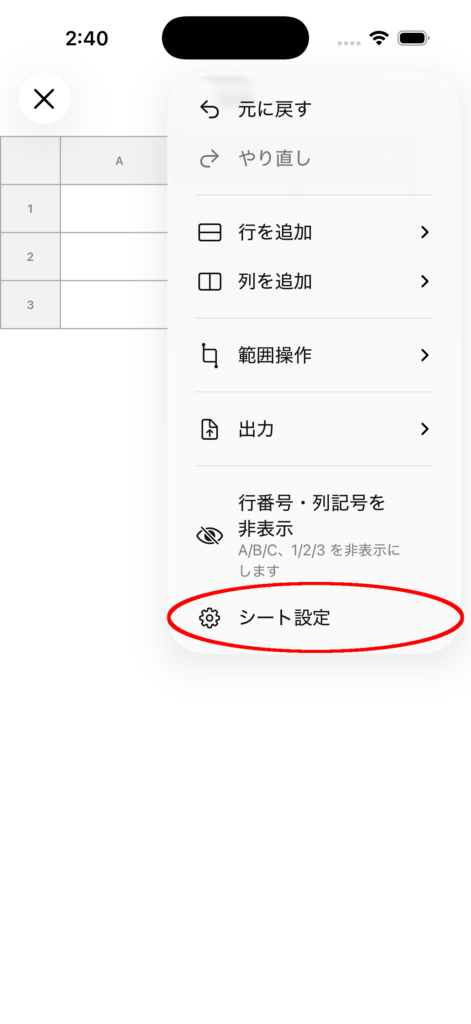
2. Open Sheet Settings
Select Sheet Settings.
Change the Grid Color
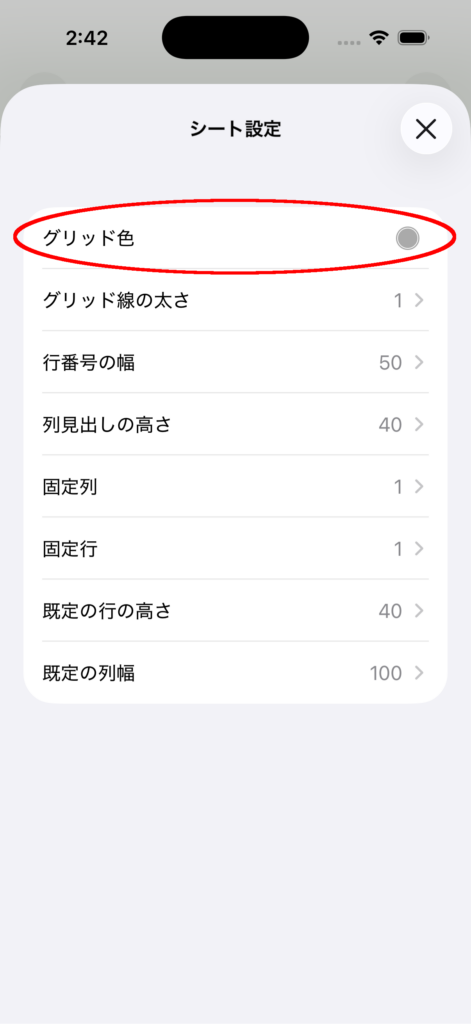
1. Change the Grid Color
Tap Grid Color in the settings list.
2. Choose a color
Select any color using the color picker.
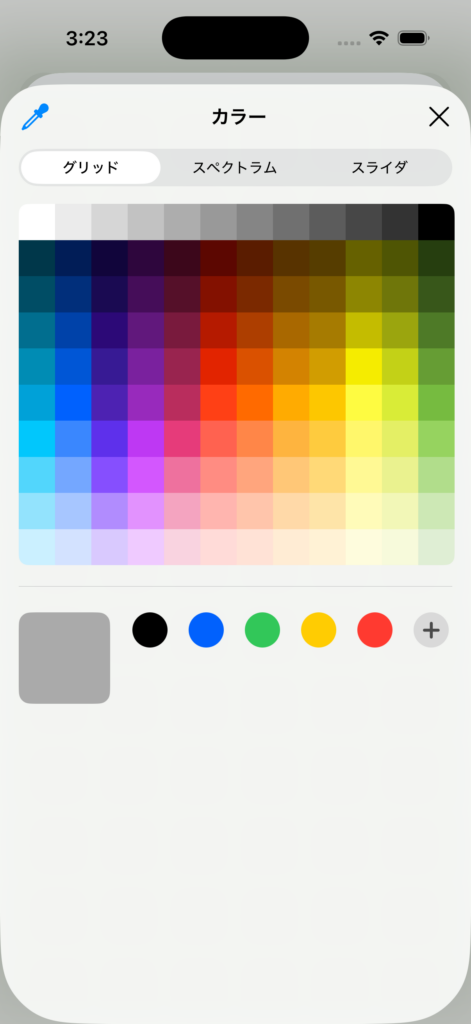
The selected color is applied immediately.
Change the Grid Line Thickness
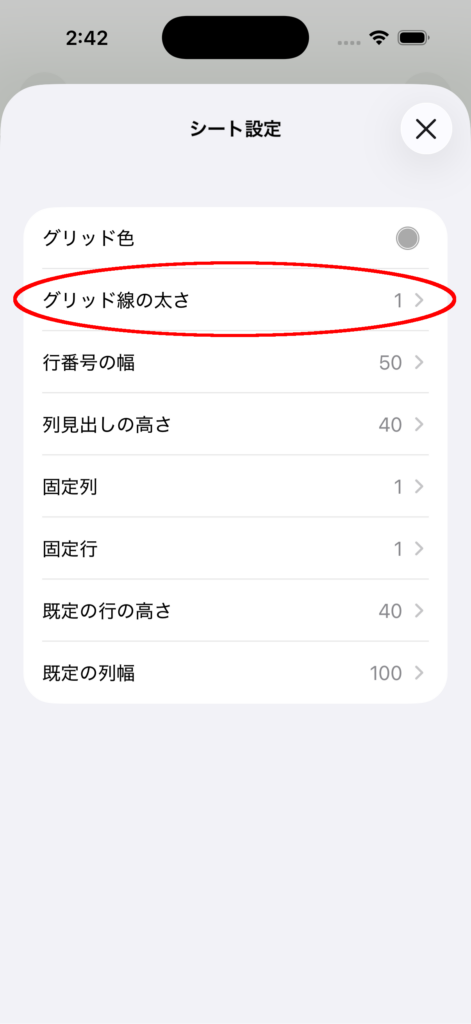
1. Select “Grid Line Thickness”
Tap Grid Line Thickness in the settings list.
2.Adjust the thickness
In the adjustment panel that appears, set the thickness using the slider or the + / – buttons.
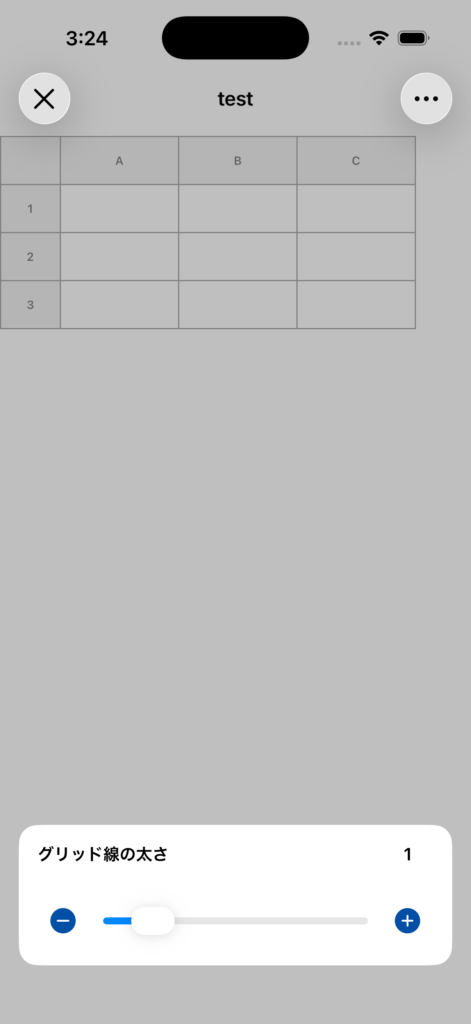
3. Check the result
When you return to the sheet, the changed thickness will be applied to all grid lines.
Notes
- If you set it to 0, the grid lines can be hidden.
- Your changes are saved and will be kept the next time you open the sheet.
- If you want to return to the previous state, use Undo.