This page explains how cell references are automatically adjusted when a formula is copied.
How It Works
When you copy a formula cell to another location, the referenced cells are automatically shifted to match the new position.
This behavior is called relative referencing.
Example
Suppose the original cell contains the following formula:
=A1+B1
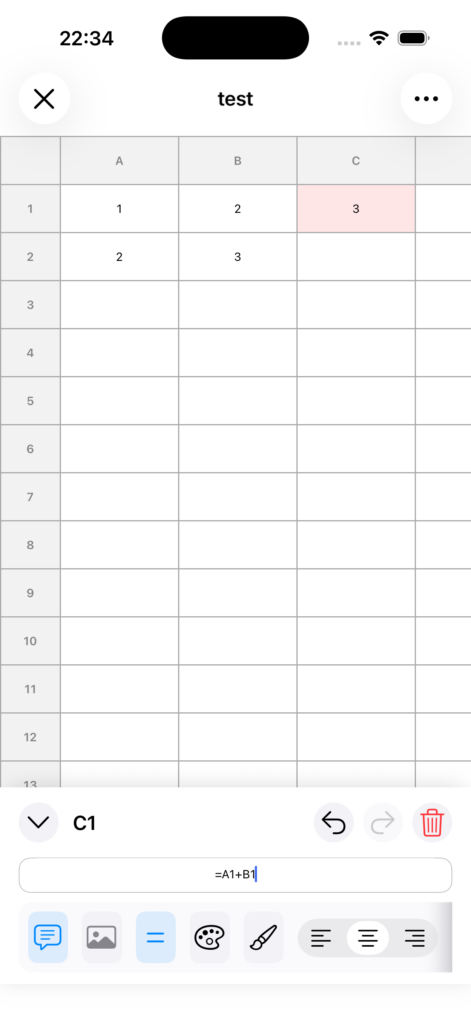
If you paste this cell one row below, the formula changes to:
=A2+B2
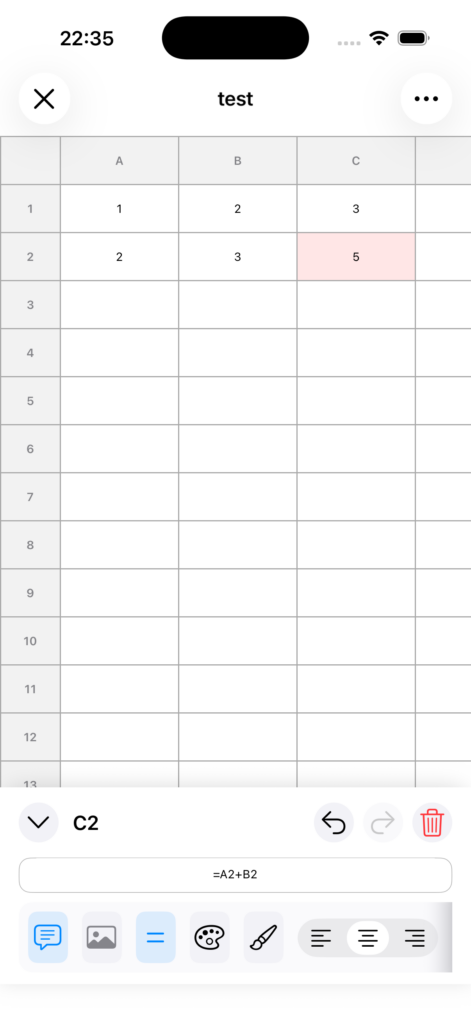
If you paste it one column to the right, the formula changes to:
=B1+C1
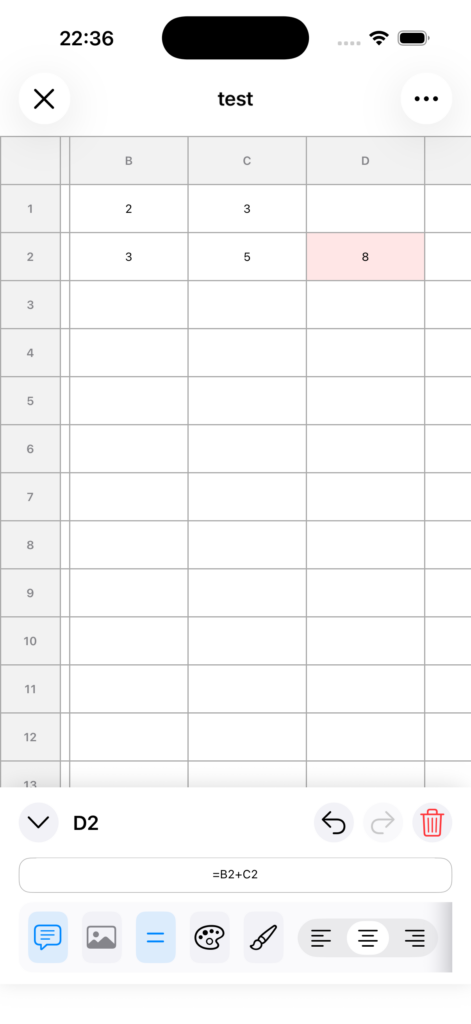
Behavior When Copying a Range
The same rule applies when copying and pasting a range of multiple cells. Formula references are automatically adjusted according to how far each cell is moved.
Notes
• This adjustment is applied only to formulas, meaning cells that begin with =.
• Regular text cells are copied as they are.
• If the result is not what you intended, you can use Undo to revert it.