
This page explains the main reasons why “Error” may appear in a cell and how to fix it.
Main Causes
- Circular reference
- Division by zero
- Invalid reference
1. Circular Reference
Cause
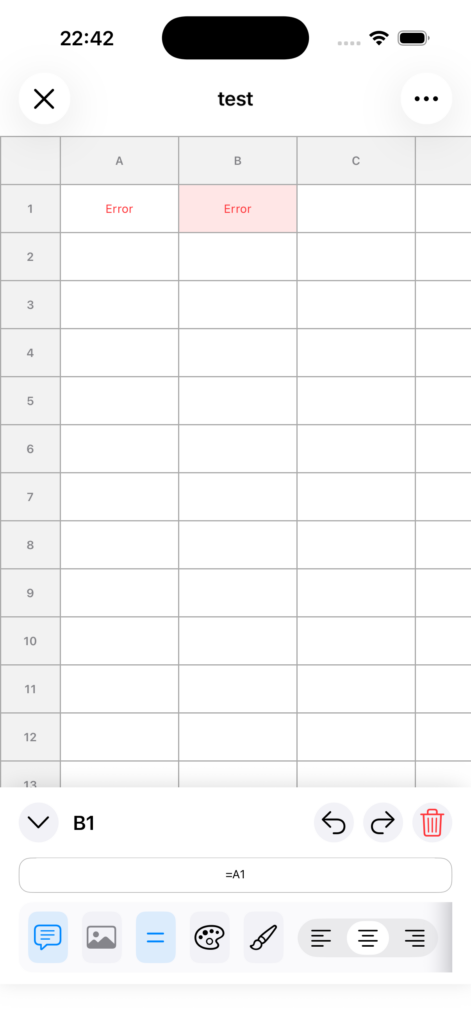
This happens when a formula ultimately refers back to itself.
Example: A1 = B1, and B1 = A1
Solution
Resolve the reference loop by changing one of the formulas to a fixed value or a different reference.
2. Division by Zero
Cause
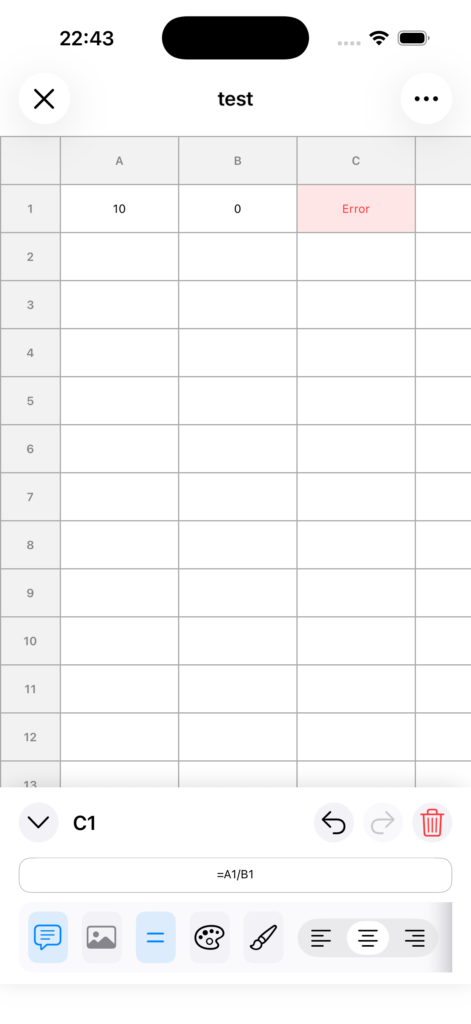
This happens when the denominator in a division formula is 0.
Example: =A1/B1 when B1 = 0
Solution
Check the value in the denominator cell and change it to a value other than 0.
If necessary, review the formula so it handles cases where the denominator is 0.
3. Invalid Reference
Cause
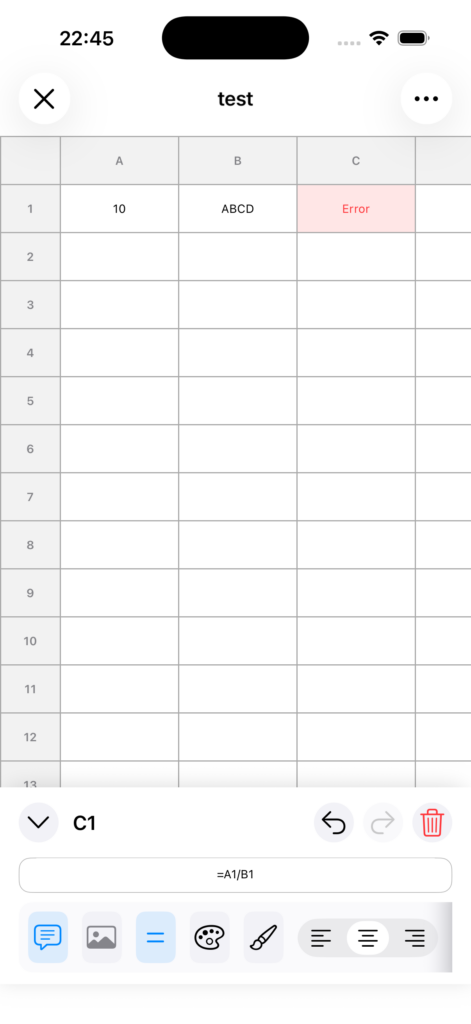
This happens when a reference or value in the formula cannot be interpreted correctly.
Example: Incorrect reference format, or a text reference that cannot be treated as a number.
Solution
- Check the cell reference format (for example, A1).
- Check the function name, parentheses, and separator formatting.
- Make sure cells used in numeric calculations do not contain text.
Tips for Checking
- First, make sure the formula starts with =.
- Review the referenced cells one by one.
- If you cannot find the problem, break the formula into smaller parts and simplify it.
Additional Note
- If you want to return to the state before making changes, you can use Undo.